Epilogue
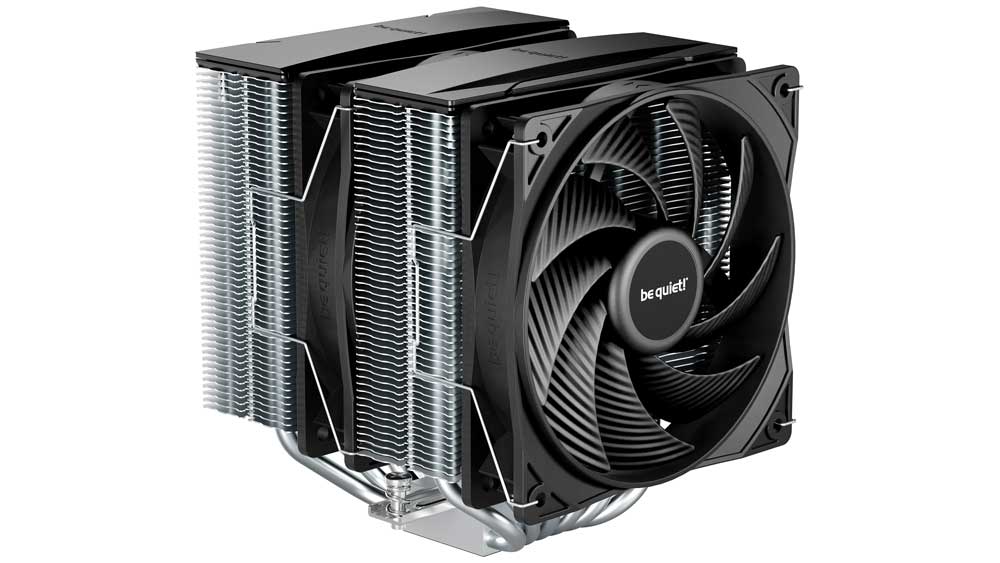
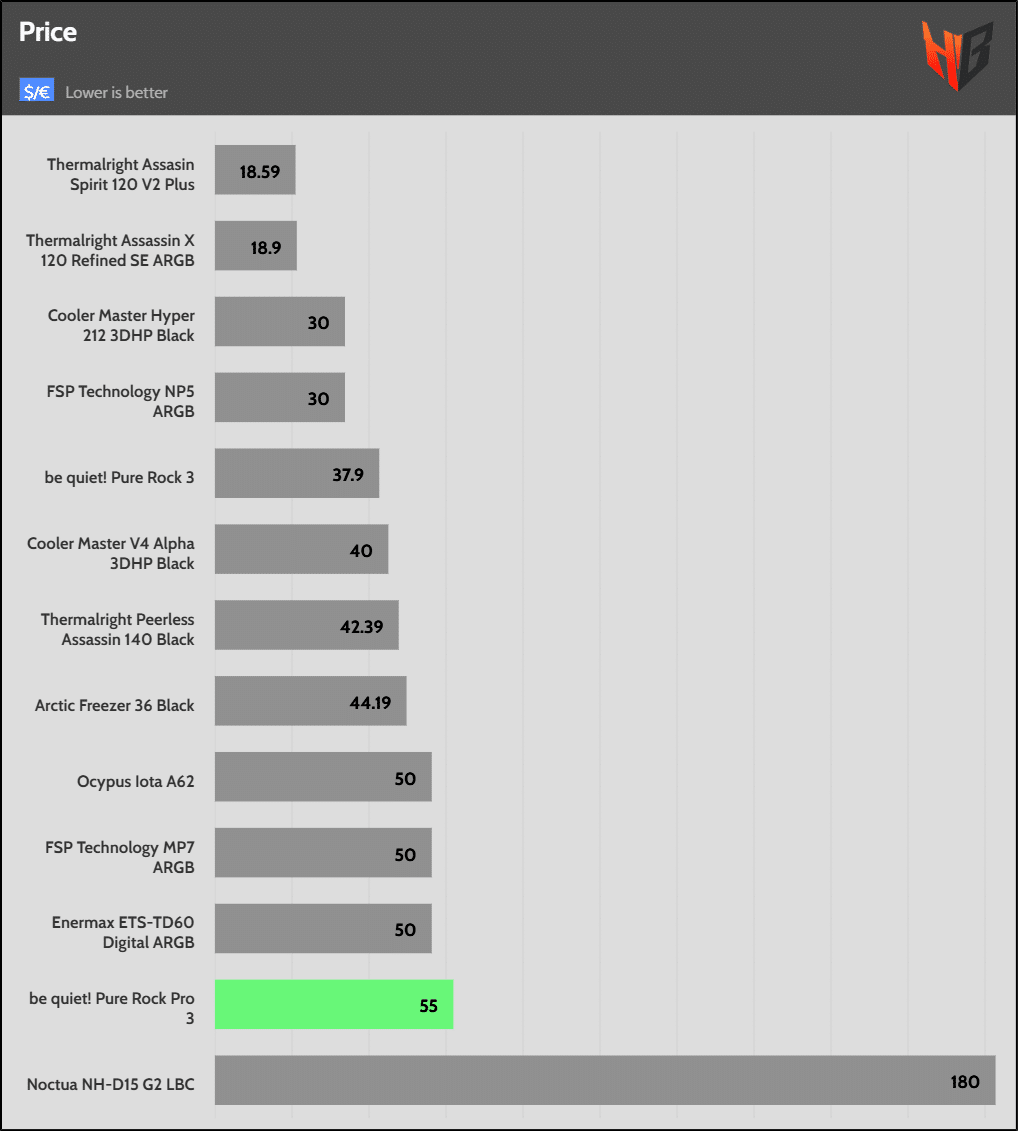
The be quiet! Pure Rock Pro 3 has high build quality, and its noise output is not excessive, despite the relatively high-speed fans. At $55, you cannot call it expensive, given its quality fans, and on top of that, its installation is a breeze, so that it won’t bother even non-experienced users. On the other hand, competition in cooling solutions is fierce, with companies like Thermalright and Arctic Cooling dominating the field with highly affordable yet capable products. I am unsure whether big brands like be quiet!, Corsair and others can keep up with Thermalright’s or Arctic’s prices.
 |
 |
| 25 dBA – Performance | Prices in the US market as of 24 December 2025 |
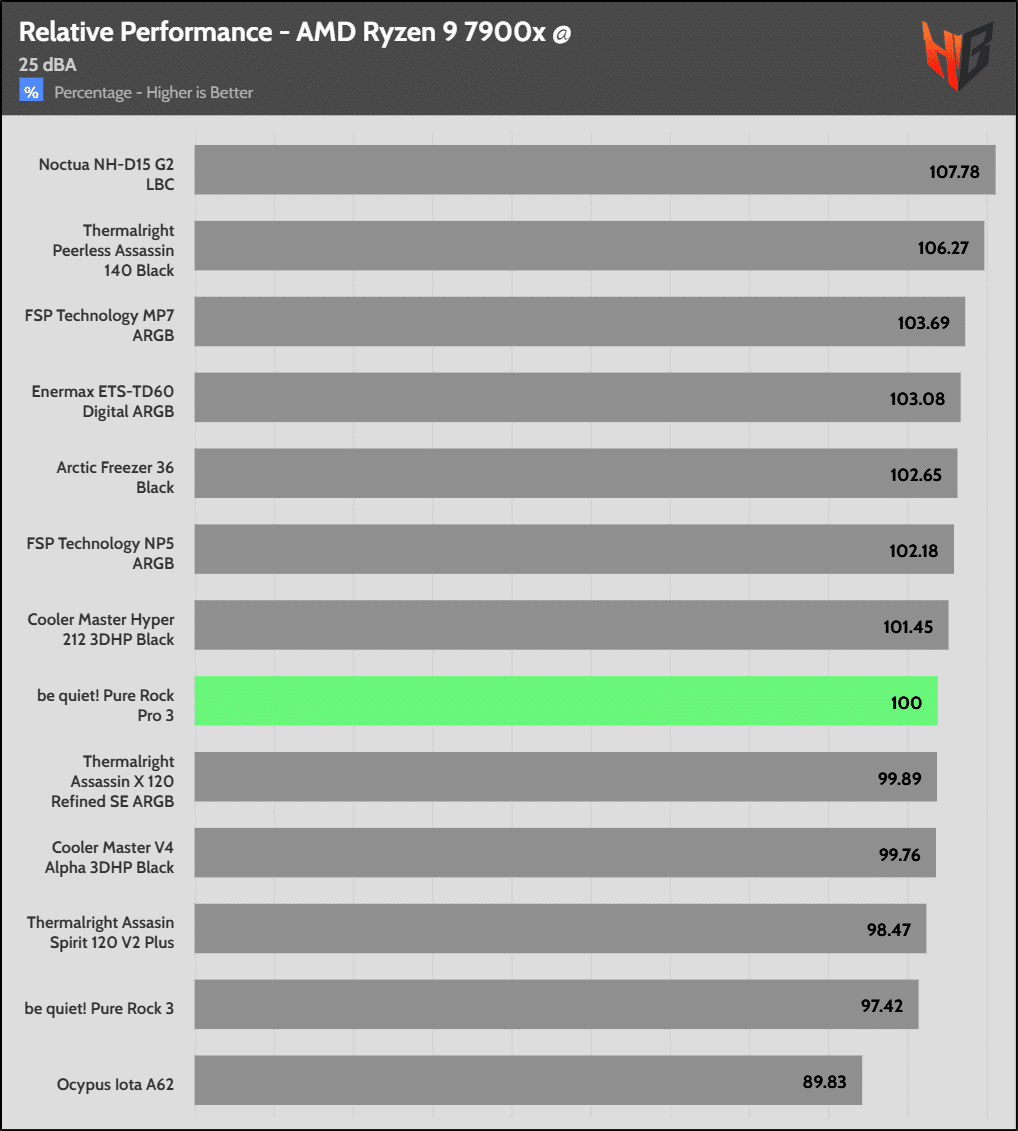
At a 25 dBA normalized noise output, a level that won’t bother most users while still allowing for good performance, the Pure Rock Pro 3 has only a 2.6% difference with the “plain” Pure Rock 3, which costs way less. The single-tower Arctic Freezer 36 also achieves better performance, while costing $11 less, a notable price difference. The competition is fierce in general, and the fact that a single-tower cooler offers increased compatibility with RAM and mainboard VRMs can seal the deal for many users.
If you’re searching for fans for your AIO or chassis, read my ‘Best Cooling Fans’ article before investing in new cooling solutions. You help me a lot by using my affiliate links, which don’t increase the price of the product. I receive a commission from Amazon every time you do it, which can make a significant difference for me, especially now that I am working independently, exclusively for my media, rather than for someone else.
- Decent performance
- Low noise operation
- Below 160mm height to avoid compatibility issues with chassis
- Adjustable front fan to cope with possible RAM compatibility issues
- Support for all popular (and not) Intel sockets
- Good build quality
- Rifle-bearing fans
- Straightforward installation
- Fierce competition
- Dual tower design can create compatibility issues with RAM and/or mainboard VRMs