Logitech recently broke two of its main apps for Mac, Logi Options+ and G Hub, leaving users unable to adjust settings or use custom shortcuts on their Logitech keyboards and mice. The cause: a simple but critical oversight that left many wondering how it happened at all.
Why Did This Happen?
Logitech allowed the digital security certificates used to sign its apps to expire. On macOS, apps must be “signed” with a valid certificate to verify their authenticity and allow them to run. When the certificate expired, macOS blocked Logi Options+ and G Hub from opening entirely, essentially locking users out of their own customized peripherals.
The company publicly acknowledged the error, calling it an “inexcusable mistake.” A Logitech representative stated on Reddit, “We dropped the ball here. We’re extremely sorry for the inconvenience caused.”
Who Is Affected?
Users running:
- macOS Ventura
- macOS Sonoma
- macOS Sequoia
- macOS Tahoe
Older versions will reportedly receive a fix later.
How to Fix It
- Do not uninstall Logi Options+ or G Hub—this could erase your saved settings and profiles.
- Download the patch directly from Logitech’s support website:
- Logi Options+ patch
- G Hub patch
- Run the patch to update the certificate. Your customizations should remain intact.
- Note: The in-app updater is also broken, so automatic updates won’t work—manual installation is necessary.
Why This Is More Than a Minor Glitch
For gamers, designers, programmers, and other power users, losing access to custom key mappings, DPI settings, and macros can disrupt workflow and productivity. The incident has sparked frustration online and serves as a cautionary tale for software developers about certificate lifecycle management, a small oversight can lead to widespread disruption.
What Logitech Is Doing Now
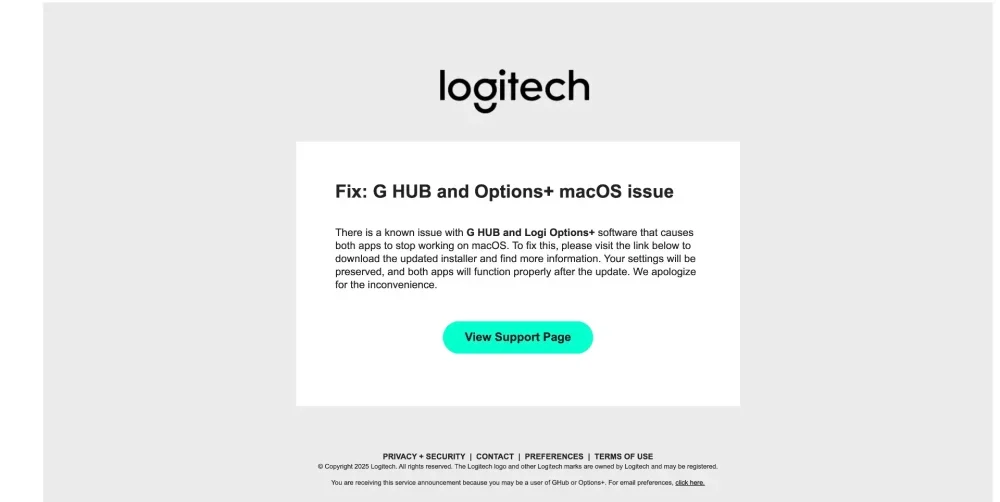
Logitech has emailed registered users with patch instructions and published a support article detailing the fix. The company says it is reviewing its certificate management process to prevent a repeat. While the patch resolves the immediate issue, the episode highlights how fragile user trust can be when basic software maintenance fails.
If you rely on Logitech peripherals with custom settings, applying the patch should restore full functionality, and serve as a reminder to keep software updated, even when the updater itself breaks.